
如何在 X / Twitter 启用双重验证 (2FA)
如何在 X / Twitter 啟用雙重驗證 (2FA)
How to Enable 2FA on X / Twitter
按照以下几个步骤为您的 X / Twitter 账号绑定动态令牌
按照以下幾個步驟為您的 X / Twitter 帳號綁定動態令牌
Follow these steps to link dynamic verification codes to your account
登录 X (Twitter),进入“设置和隐私” -> “安全性和账号访问” -> “安全”。
登入 X (Twitter),進入「設定和隱私」 -> 「安全性和帳號存取」 -> 「安全」。
Sign in to X/Twitter, and go to 'Settings and Privacy' -> 'Security and account access' -> 'Security'.
点击并进入“双重身份验证”(Two-factor authentication)。
點擊並進入「雙重身份驗證」(Two-factor authentication)。
Click on 'Two-factor authentication'.
勾选“身份验证应用”(Authentication app) 并通过密码验证,点击开始设置。
勾選「身份驗證應用程式」(Authentication app) 並通過密碼驗證,點擊開始設定。
Enable 'Authentication app', verify your password, and click 'Get Started' to reveal the QR code.
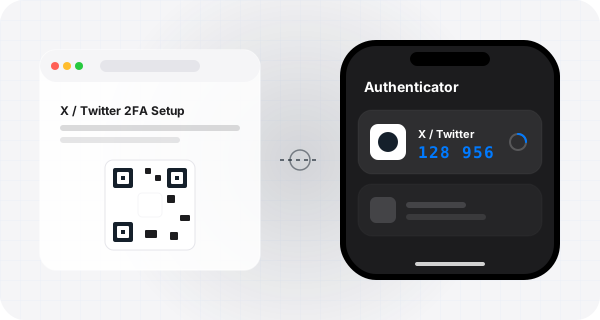
使用 Authenticator App 扫描显示的二维码,输入 App 内的动态码验证激活。
使用 Authenticator App 掃描顯示的二維碼,輸入 App 內的動態碼驗證啟用。
Scan the QR code with Authenticator and type the dynamic verification code to link.

使用 Authenticator 保护您的账号
使用 Authenticator 保護您的帳號
Protect Your Accounts with Authenticator
支持 iCloud 自动同步、Apple Watch 随时查看,支持极其简洁安全的备份导入。
支援 iCloud 自動同步、Apple Watch 隨時查看,支援極其簡潔安全的備份匯入。
Supports iCloud sync, Apple Watch display, and super easy text backups.