
How to Enable Two-Factor Authentication (2FA) on Facebook
Follow these steps to set up two-factor verification for your Facebook account.
Download and install the Authenticator App from your device's App Store.


Log in to your account on the Facebook website, click your avatar on the right top corner, then select "Settings & privacy".
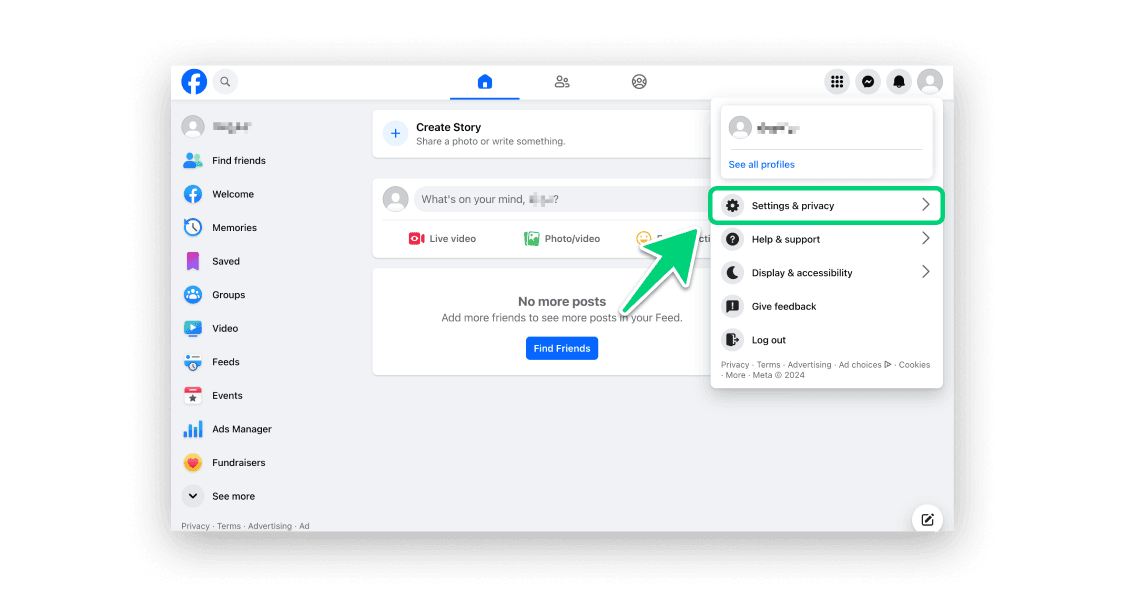
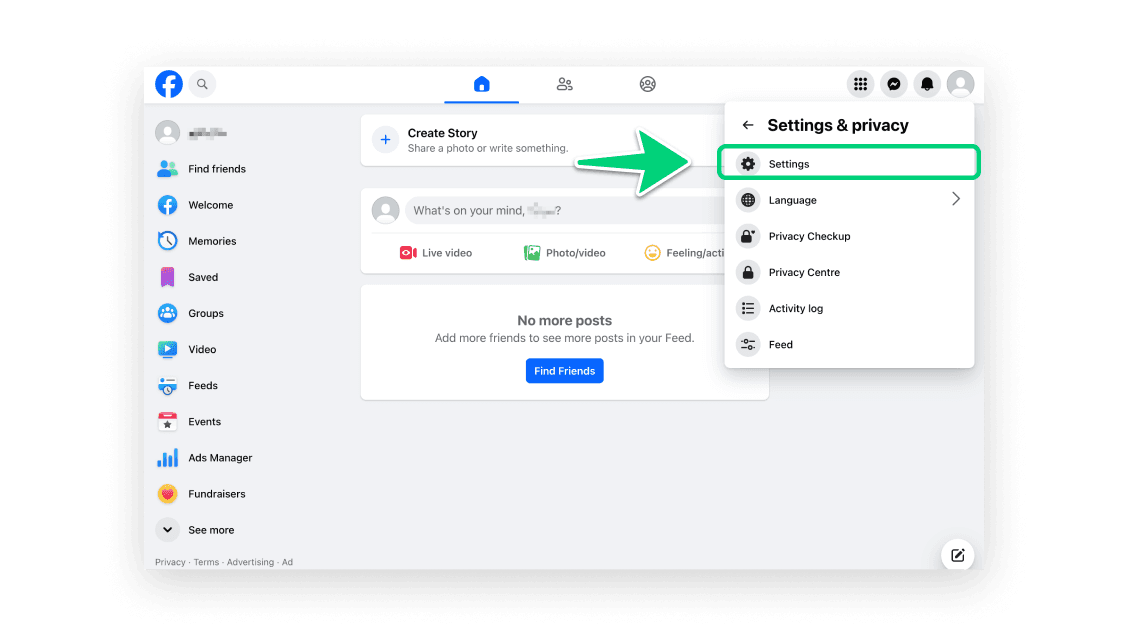
Click "Settings".
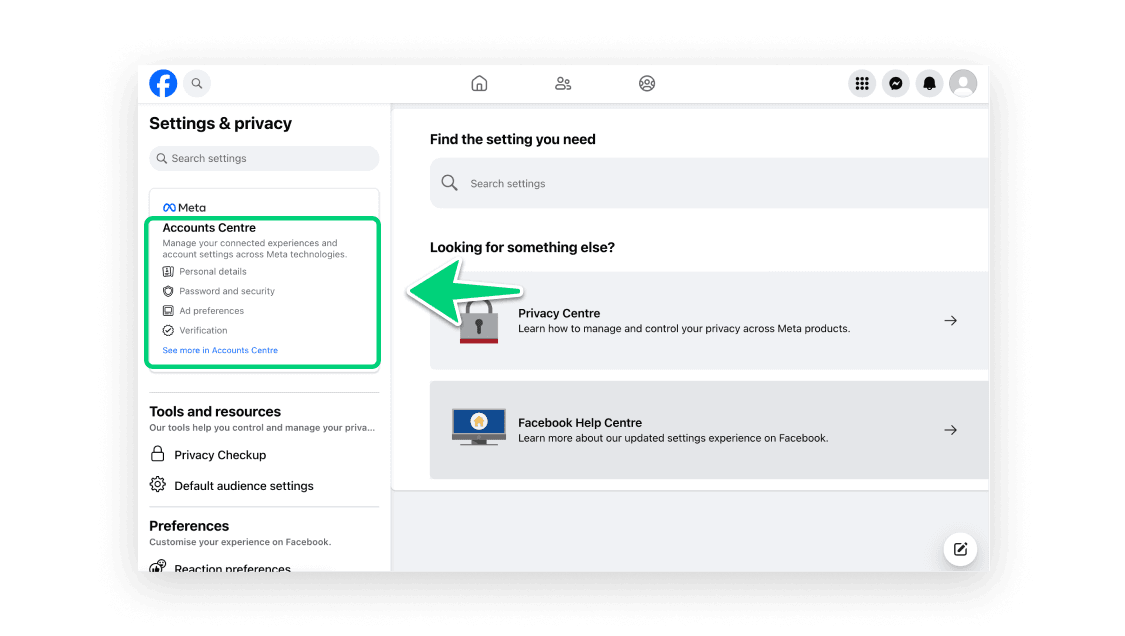
Click "Accounts Center".
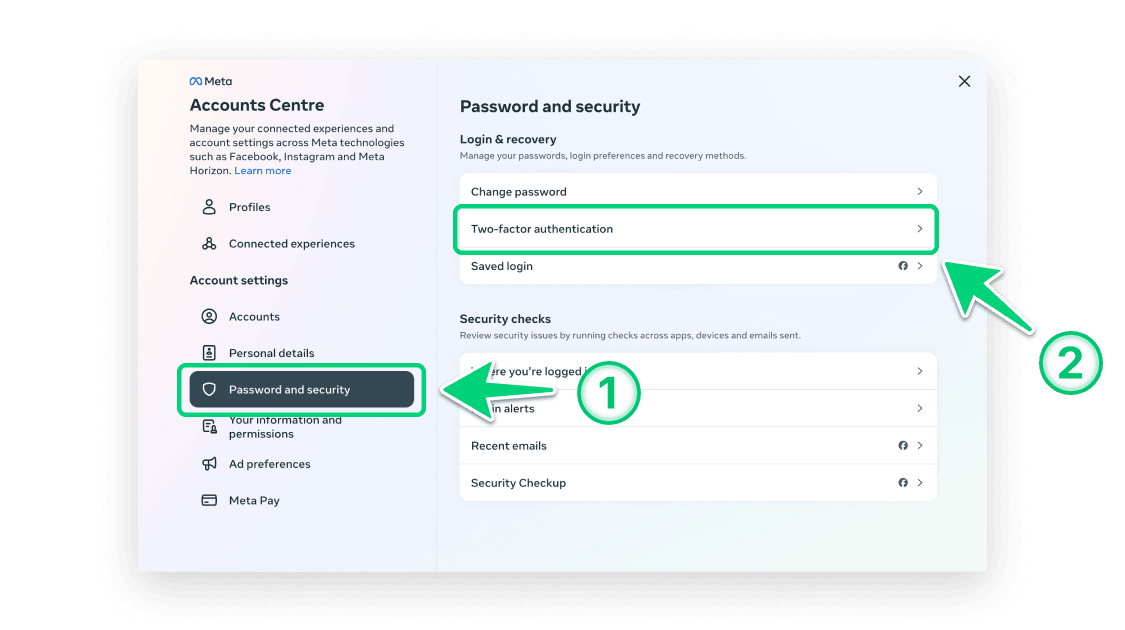
Select "Password and security" > "Two-factor authentication".
Select the account for which you want to set up 2FA.
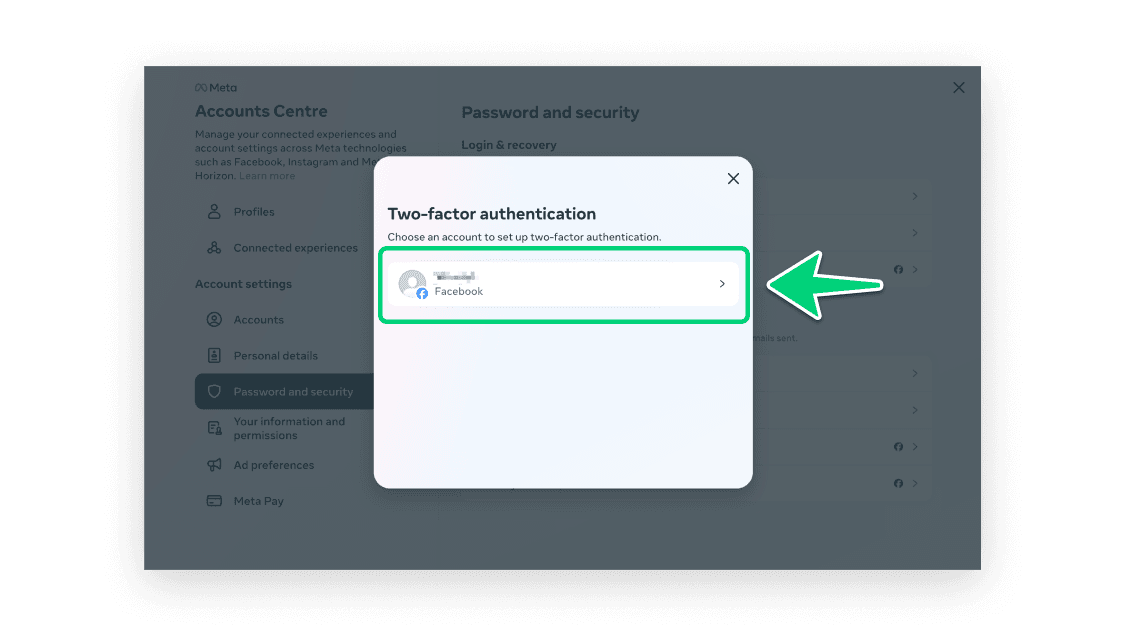
Verify your Facebook password, then click "Submit".
Select "Authenticator App", then click "Next".
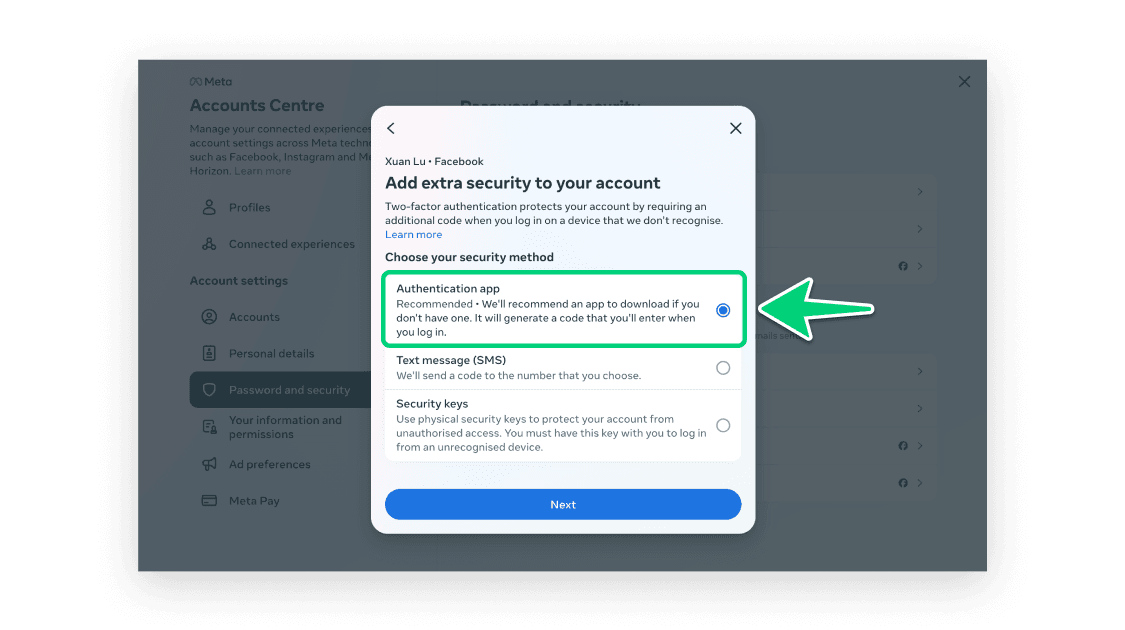
In this step, a QR code containing the secret key is displayed. Next, you need to use our Authenticator App to scan this QR code. Please keep this popup open to complete the setup.
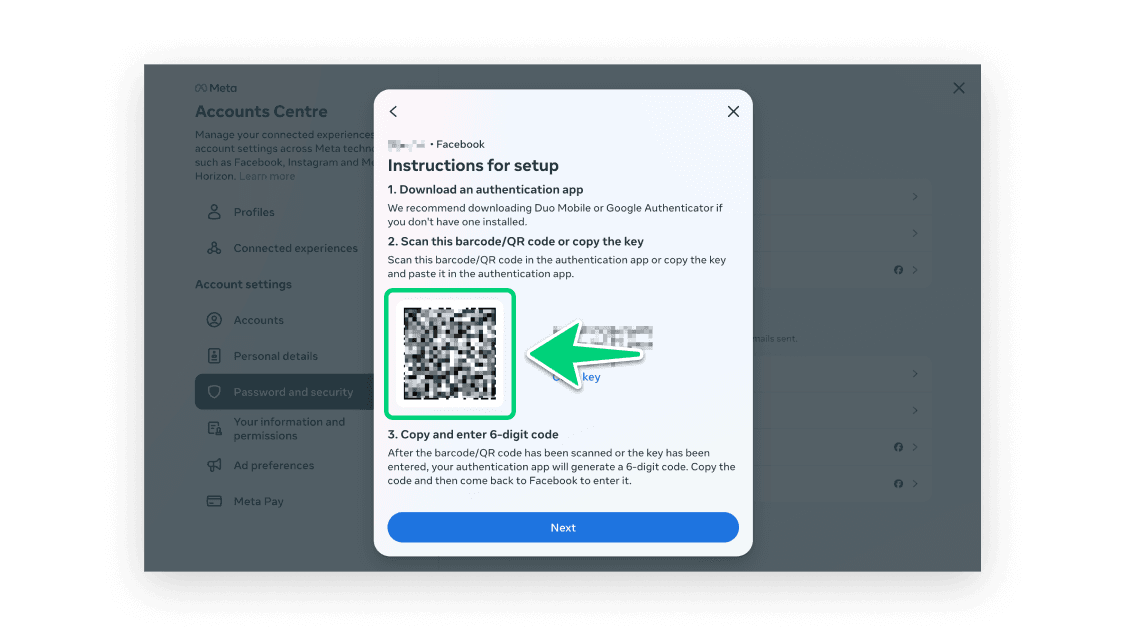
Open our Authenticator App, tap the '+' button at the top right of the screen, and then hold your device near the computer screen to scan the QR code.


After successfully scanning, a 6-digit code will appear in your App. Please note that this code refreshes every 30 seconds.

Return to the Facebook webpage, click "Next".
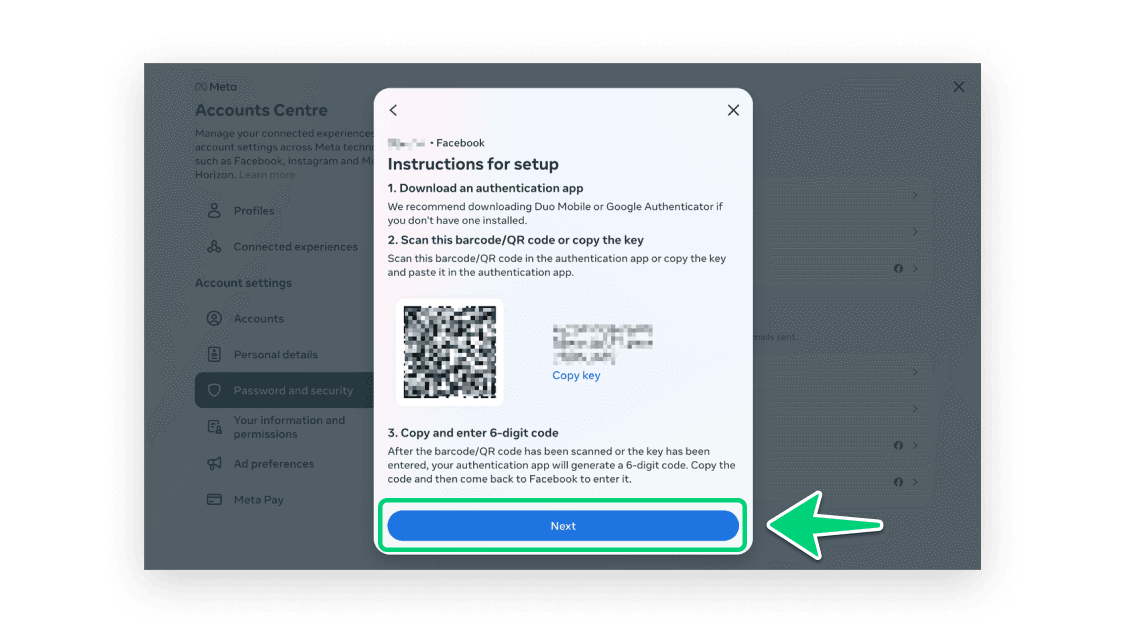
Enter the 6-digit code displayed in step 10, and then click "Next".
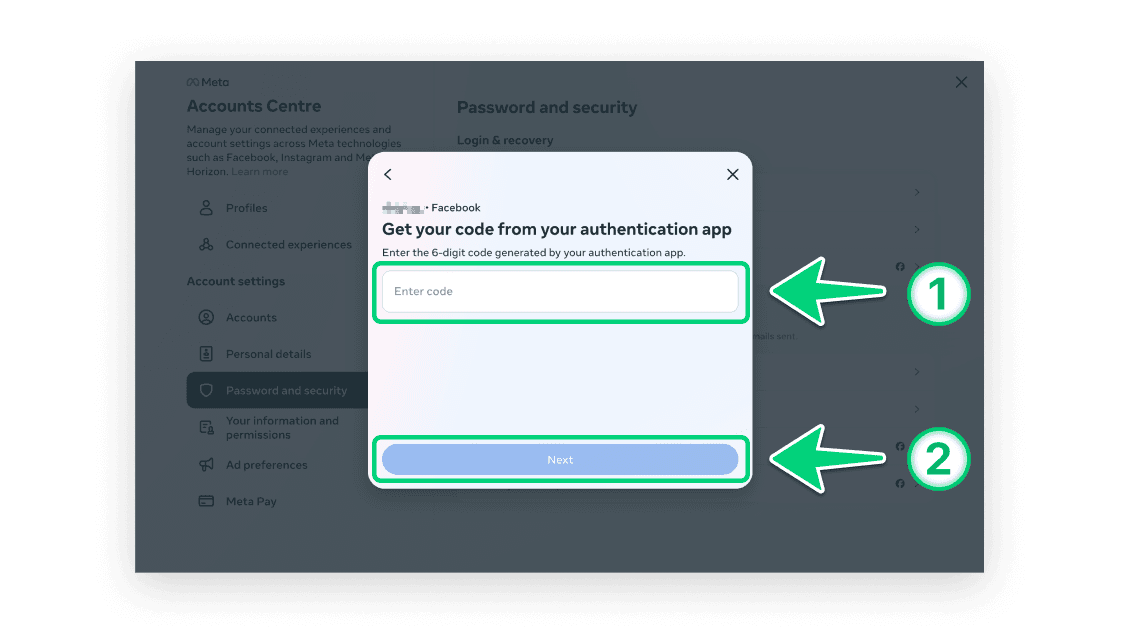
Verify your Facebook password again, then click "Submit".
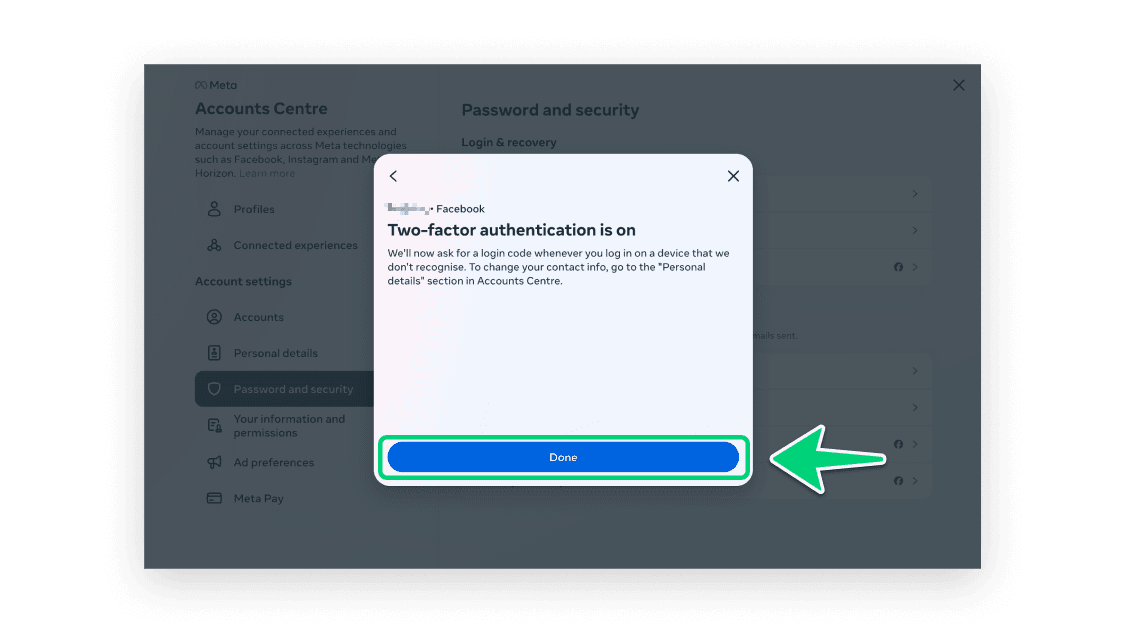
Now, you have successfully setup 2FA for your Facebook account. From now on, when you attempt to sign in to your Facebook account, you will need to use our Authenticator App.

Protect Your Account with Authenticator
Supports secure iCloud sync, Apple Watch access, and extremely simple & safe backup import.