
如何在 X (Twitter) 啟用雙重驗證 (2FA)
按照以下幾個步驟為您的 X (Twitter) 帳號綁定動態令牌
1
第 1 步:下載 Authenticator App
從您設備的 App Store 下載並安裝 Authenticator App。


2
第 2 步:安全配置
登入 X (Twitter) 網站,在左側導航欄中選擇「設定和隱私」 (Settings and privacy)。

3
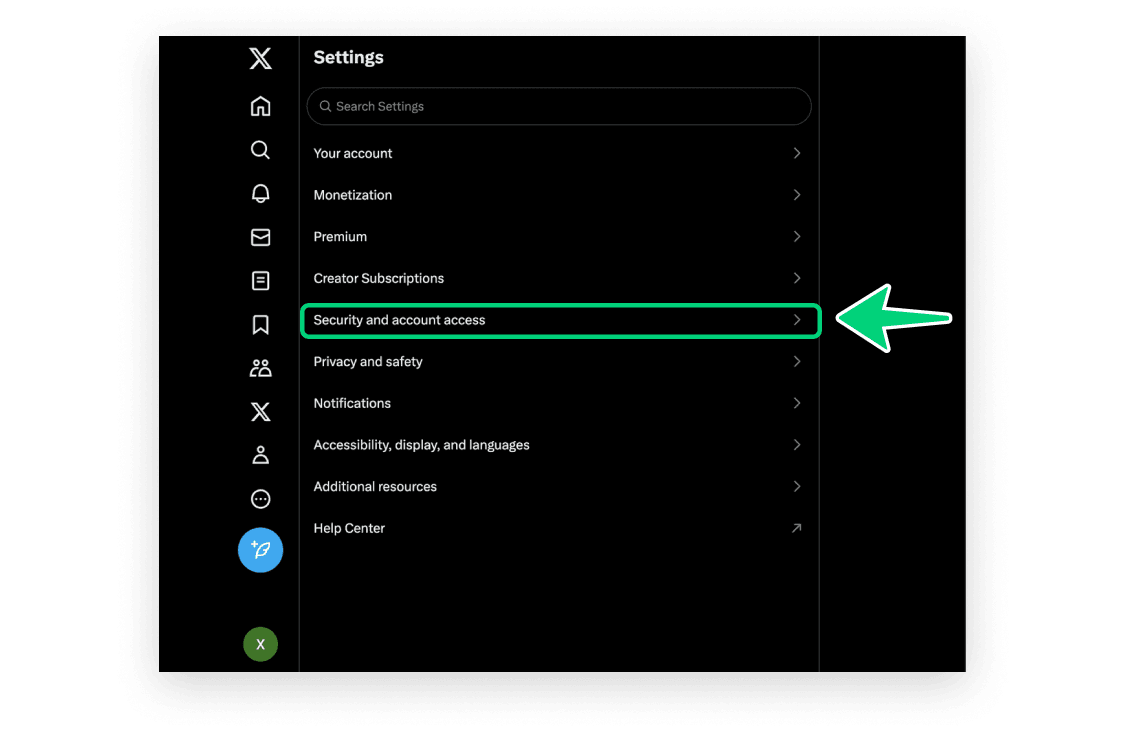
第 3 步:安全配置
點擊「安全性和帳號存取」 (Security and account access)。
4
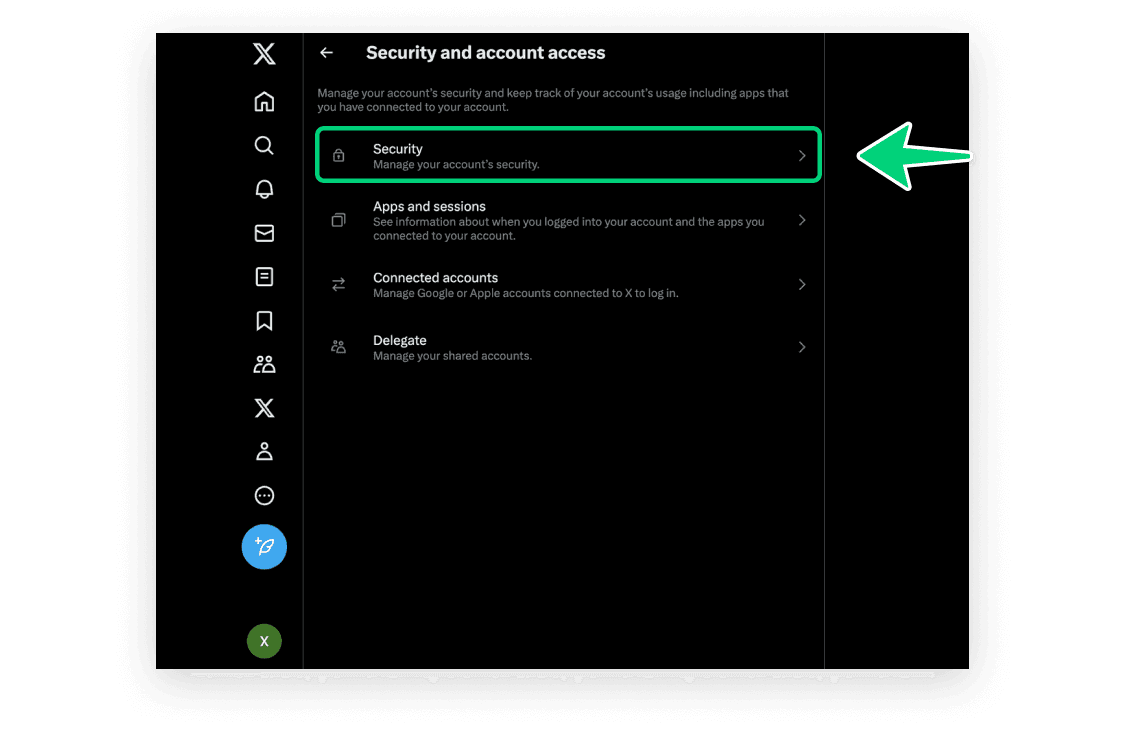
第 4 步:安全配置
點擊「安全」 (Security)。
5
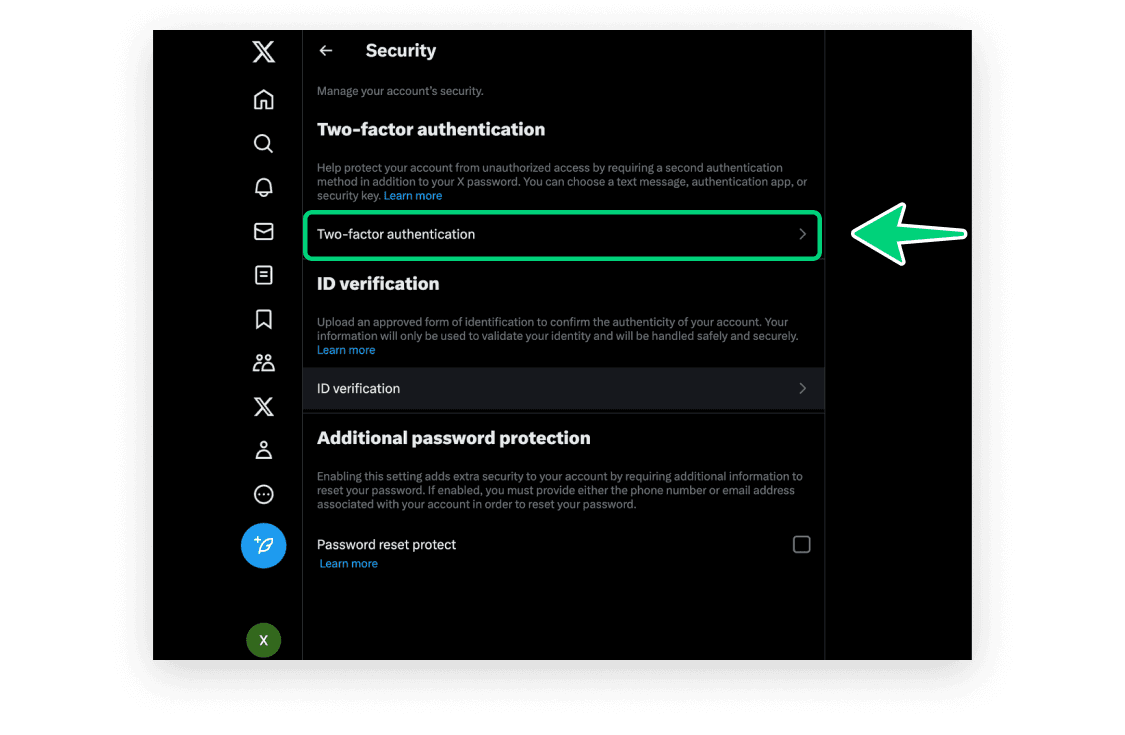
第 5 步:安全配置
點擊「雙重身份驗證」 (Two-factor authentication)。
6
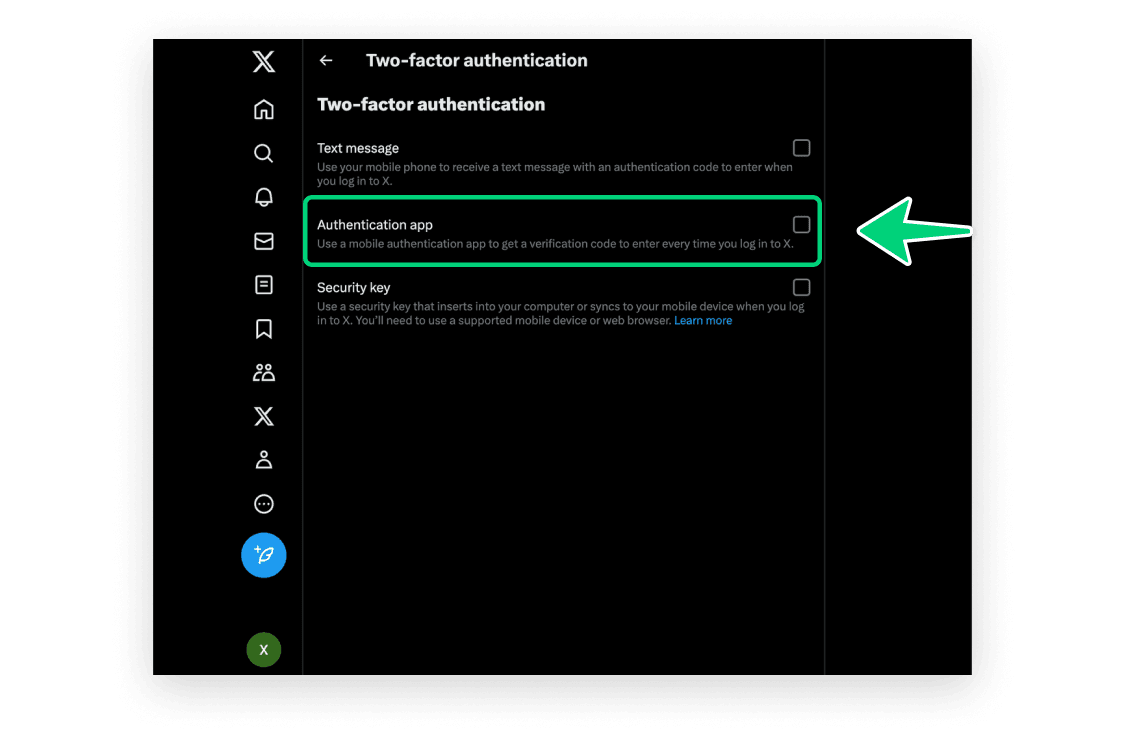
第 6 步:安全配置
勾選並啟用「身份驗證應用程式」 (Authentication App)。
7
第 7 步:安全配置
點擊「開始」 (Get started)。
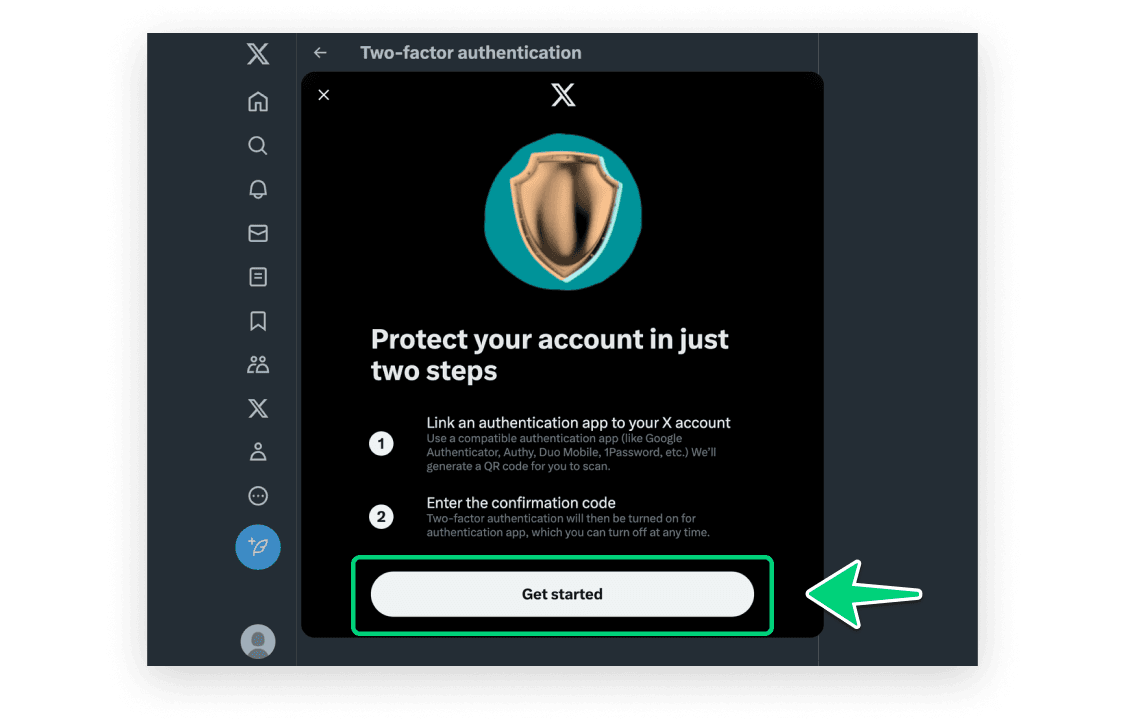
8
第 8 步:安全配置
網頁上將展示包含金鑰的二維碼。請保持此彈窗打開。
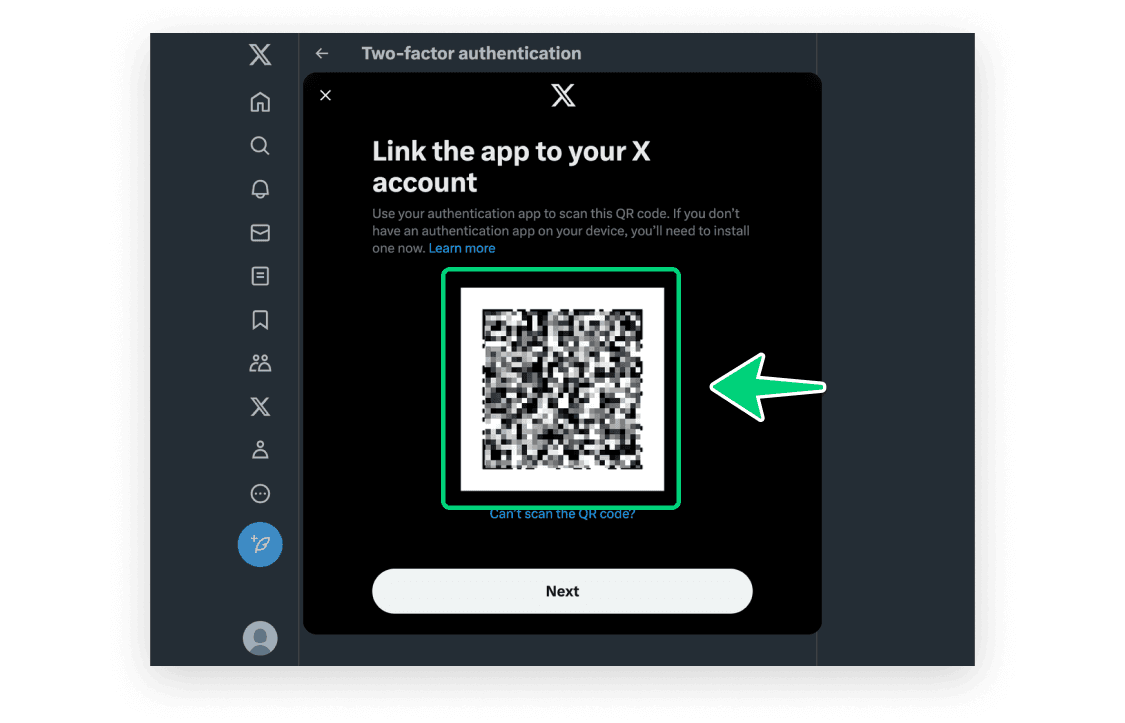
9
第 9 步:在 App 中掃描二維碼
打開我們的 Authenticator App,點擊屏幕右上角的 + 按鈕,然後將您的設備靠近電腦屏幕掃描網頁上的二維碼。


10
第 10 步:獲取動態驗證碼
掃描成功後,您的 App 中將出現一個 6 位數字的動態碼。請注意,這個動態碼每 30 秒會自動重新整理一次。

11
第 11 步:安全配置
返回到 X (Twitter) 網頁,點擊「下一步」。
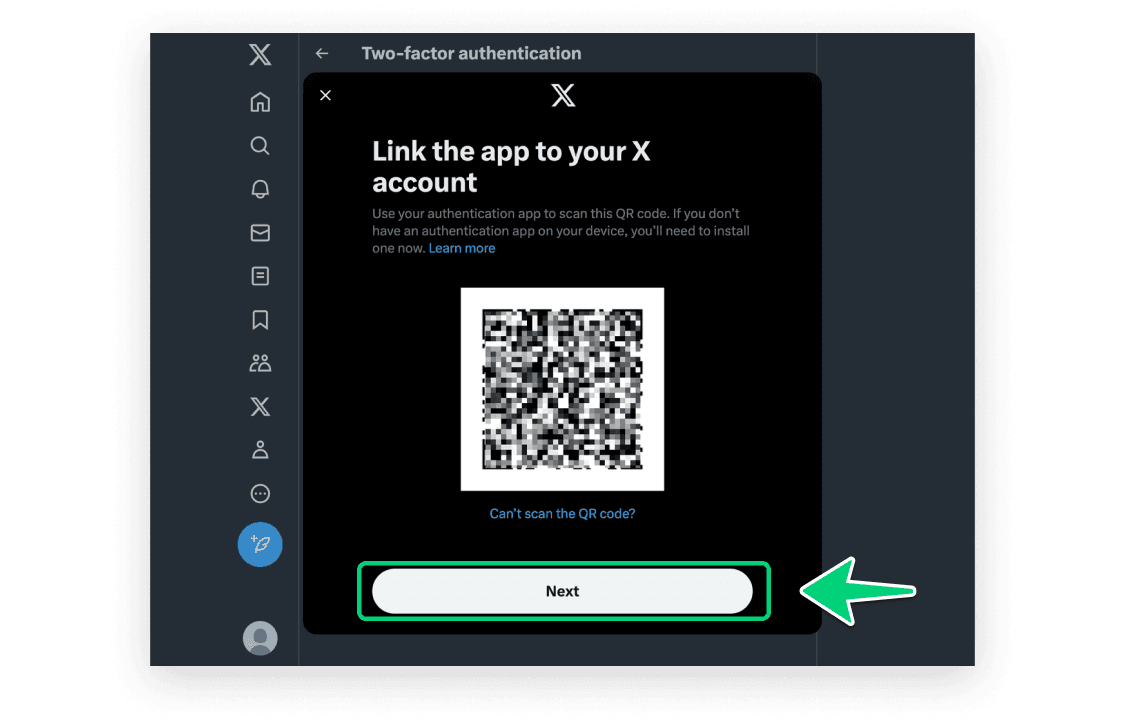
12
第 12 步:安全配置
輸入剛才在 App 中生成的 6 位數字驗證碼,然後點擊「確認」 (Confirm)。
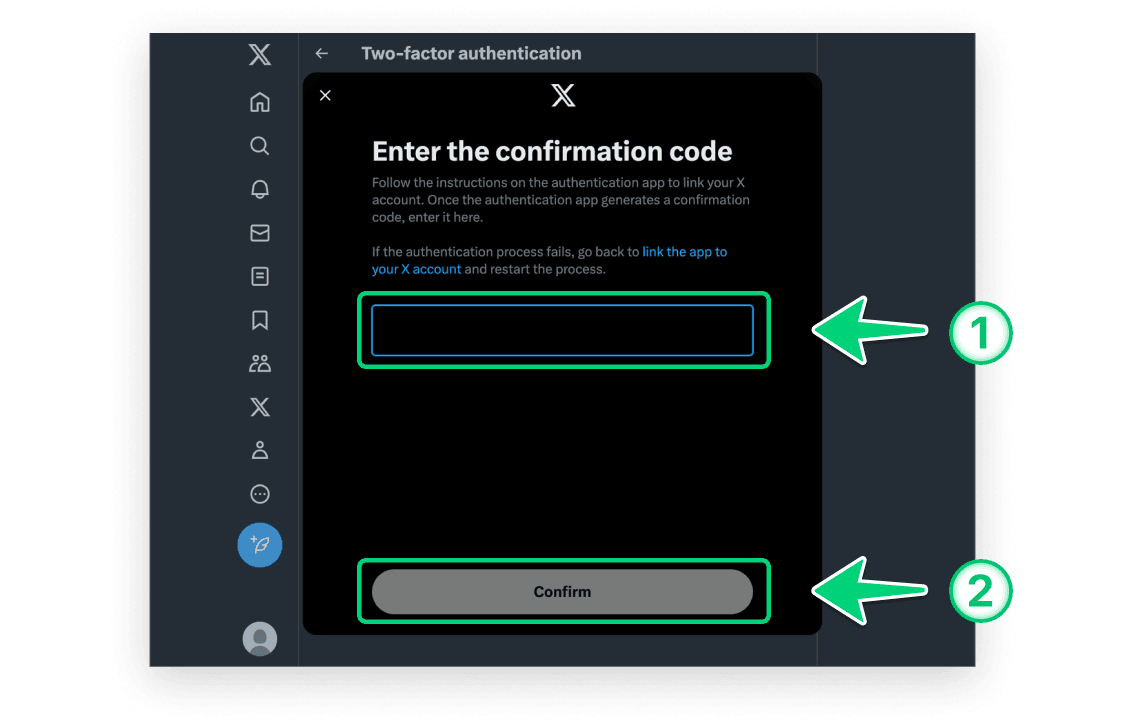
13
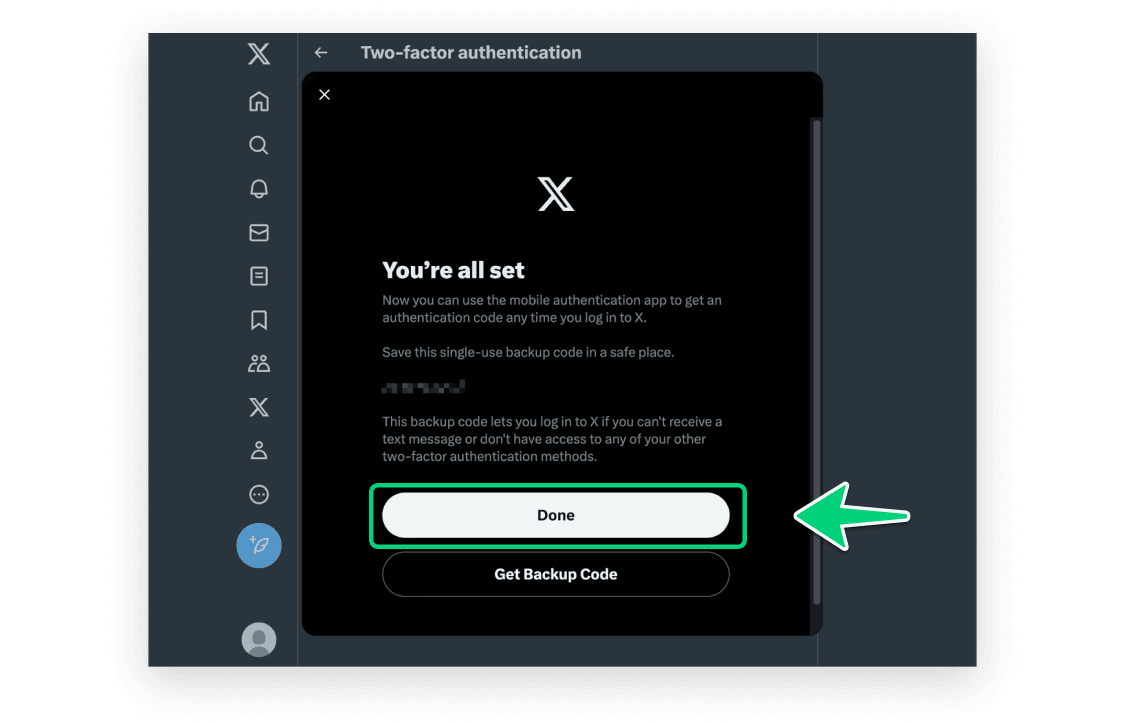
第 13 步:設定成功
點擊「完成」。現在您已成功為您的 X (Twitter) 帳號設定了雙重驗證。後續登入時,您都將需要使用 Authenticator App 提供的動態驗證碼。

使用 Authenticator 保護您的帳號
支援 iCloud 自動同步、Apple Watch 隨時查看,支援極其簡潔安全的備份匯入。